Creator template guide
Content Planner PDF
A content planner PDF for creators who want one clean place to organize ideas, shape the week, and keep production moving with less stress.
Why creators choose it
This content planner PDF is for creators who want a more organized way to plan shoots, track ideas, and stay on top of what needs to be made next. Instead of bouncing between scattered notes, you get pages that help you see the work clearly and keep projects moving.
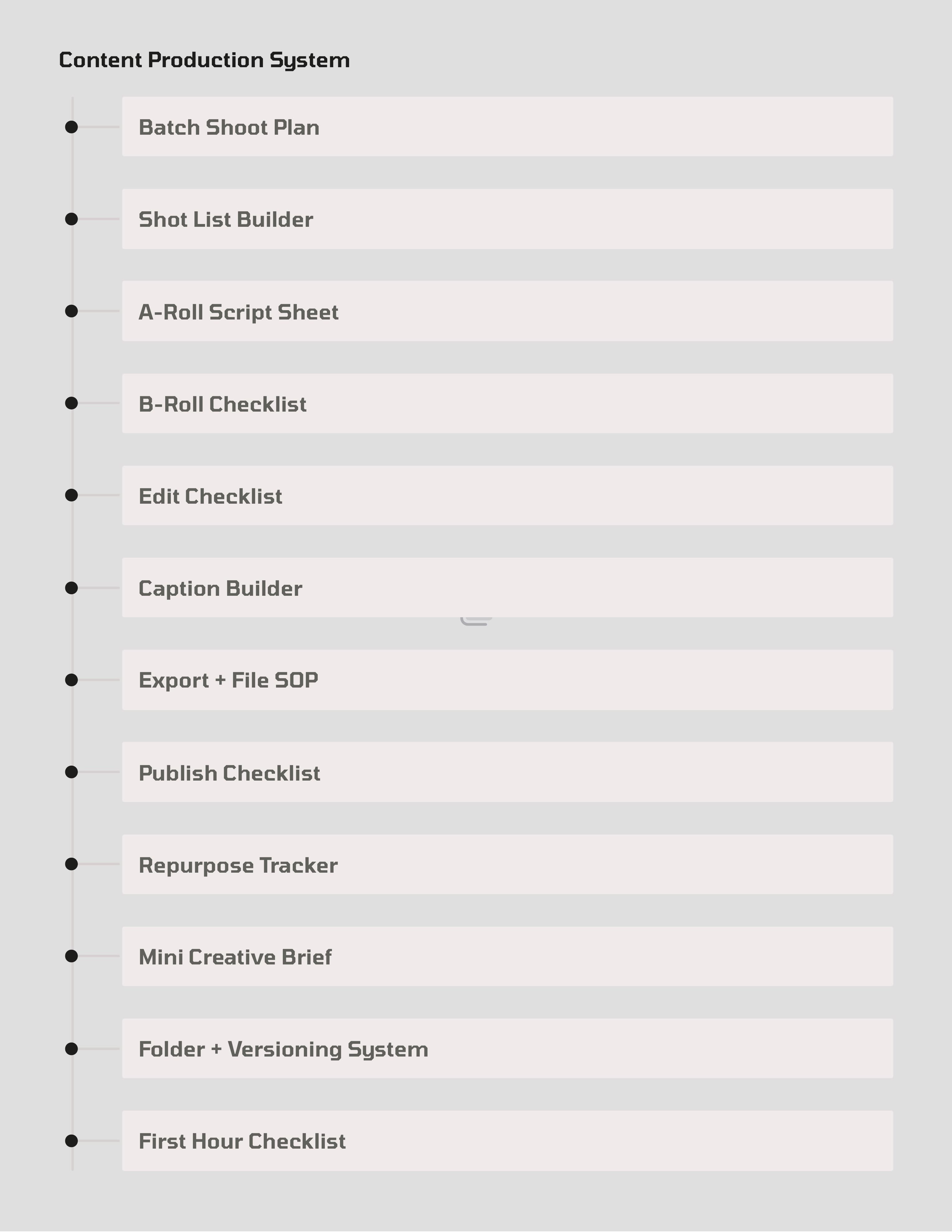
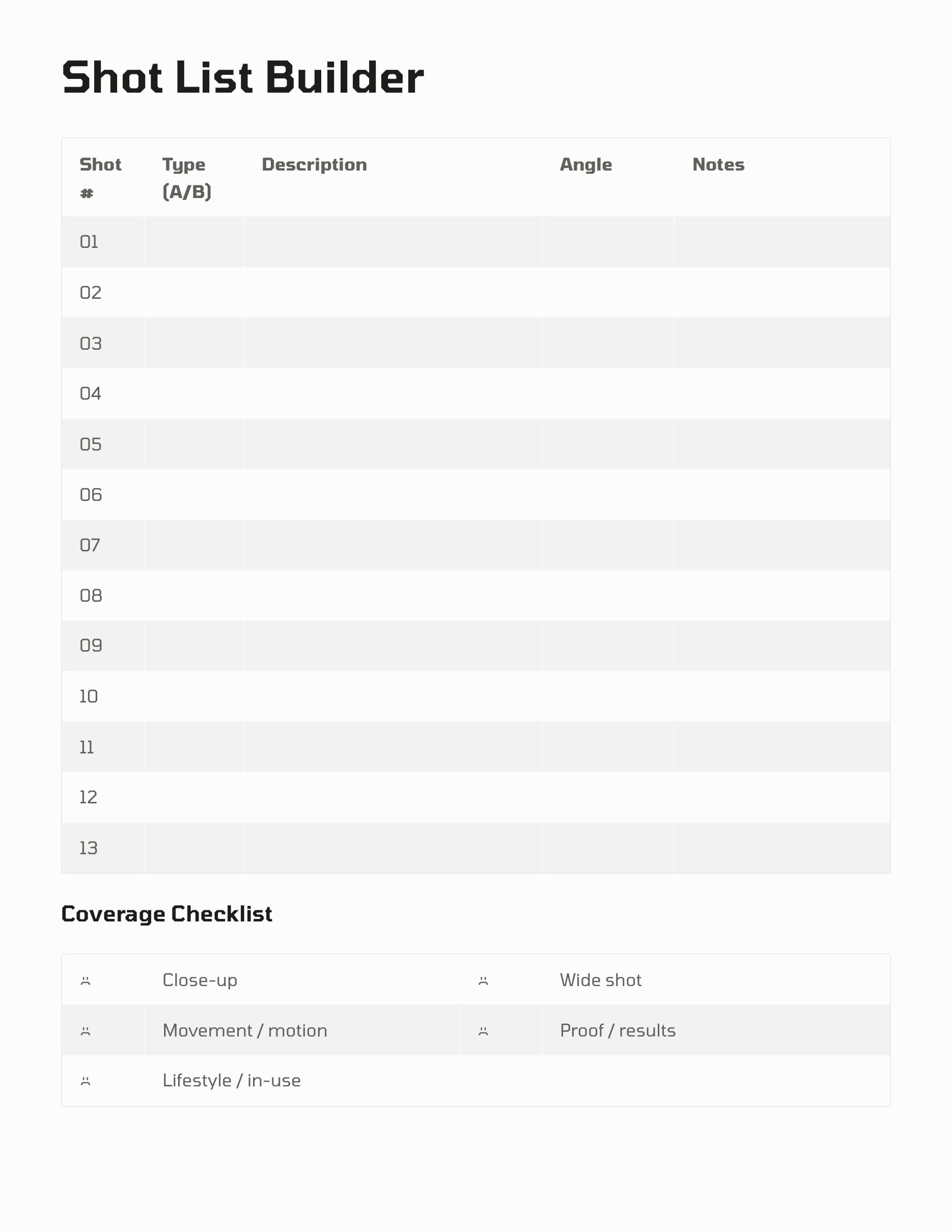
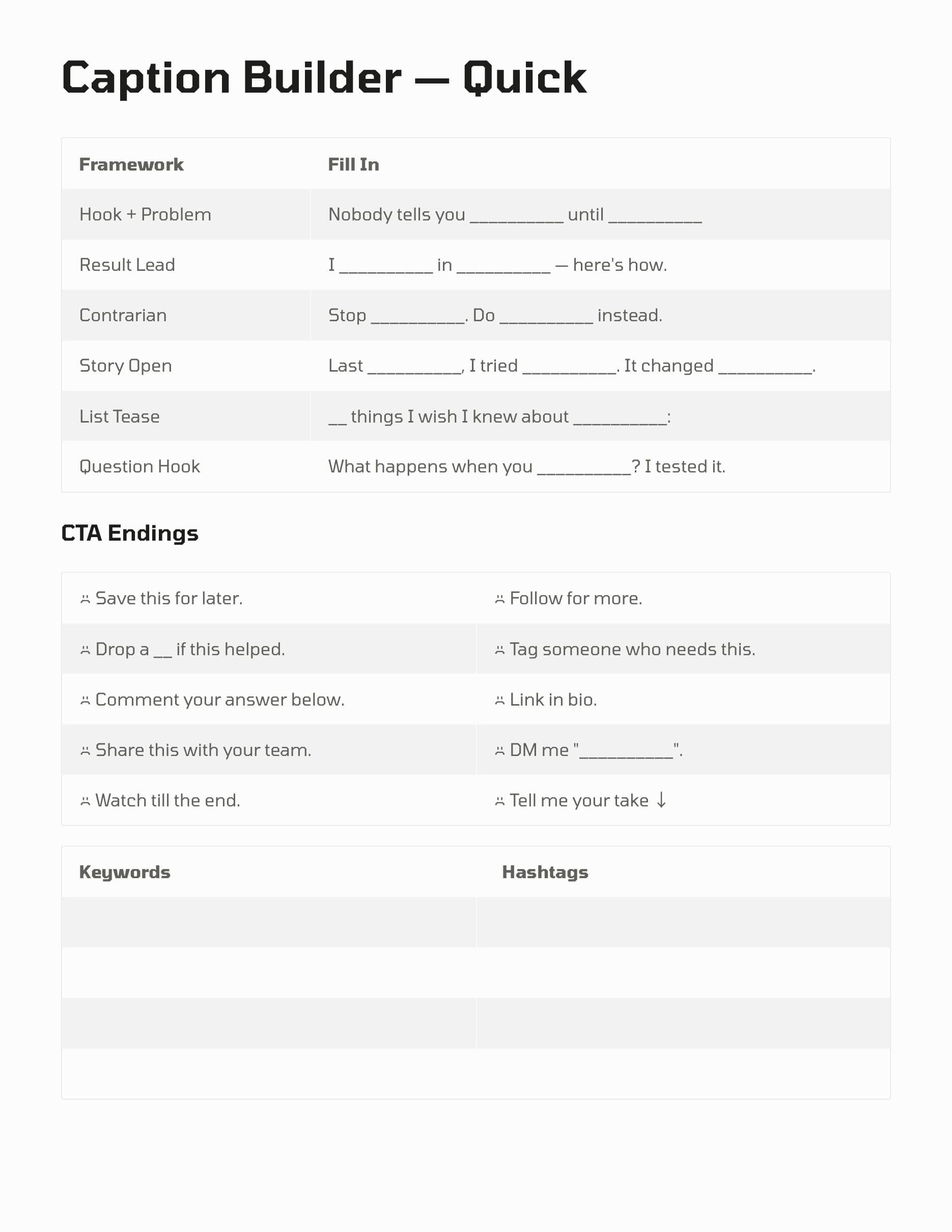
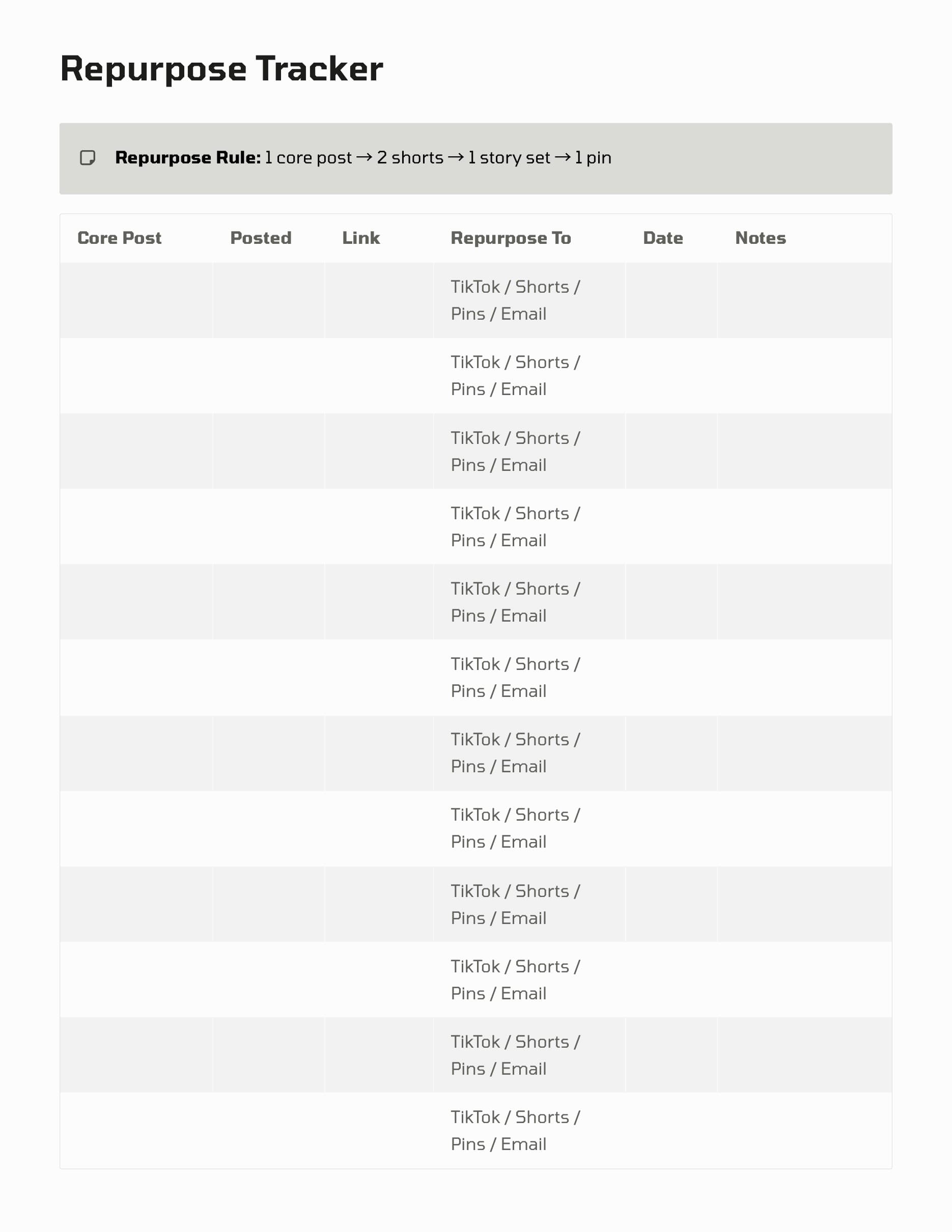
The preview images on this page focus on the actual content planning layouts so you can judge the structure before you buy. You can see whether the format feels clear enough for production prep, batch filming, and day-to-day creator work without extra clutter.
If you want a planner that supports the making side of content and still feels simple to use, this page is meant to help you choose with confidence. When you are ready, the button takes you straight to the matching template.
Preview the pages
See the layout before you buy
These screenshots come from the current Vibe Planners template previews so you can see the structure, pacing, and worksheet style before checkout.
What's included
What you get inside the template
- - Content production planning pages for organizing shoots, scenes, and filming tasks.
- - Creator workflow layouts that help move ideas from planning into execution.
- - Dedicated space for shot details, production notes, and next-step follow-up.
- - A structure that helps batch planning feel more manageable during busy weeks.
- - PDF pages that are easy to use on iPad or print when you want a paper workflow.
- - A cleaner way to keep production details visible instead of scattered across notes apps.
- - Instant digital delivery after purchase through the existing secure download flow.
- - A practical format built for repeat use, not one-time setup.
Ready when you are
Open the template and check out
When you are ready, you can go straight to the product page with the most relevant template already selected. That keeps checkout simple and makes it easy to buy the right option without extra steps.
FAQ
Keep exploring
More pages that can help you choose
Shop all templates
Browse the full Vibe Planners template page if you want to compare options before choosing one.
Open pageRead the FAQ
Get quick answers about downloads, Goodnotes use, delivery emails, and support.
Open pageWeekly Content Schedule Template
Compare the weekly planning option built around posting rhythm, priorities, and time blocks.
Open pageBrand Deals Tracker Template
Explore the tracker focused on sponsorship deadlines, invoicing, and brand follow-up.
Open pageGoodnotes Content Planner
Browse the iPad-friendly planner page designed for creators who use Goodnotes.
Open pageReady to use it?
Get the template and start planning faster.
Choose the template that fits your workflow, complete checkout, and get your files delivered with the same simple Vibe Planners download experience used across the site.